Editing Repository Records
Repository Where a source document or item was found. This could be a physical library facility or online data provider. records are for facilities and online data providers which serve a data repositories. Such facilities are usually libraries, reading rooms, or museums, whether physical or cloud-based. Clooz handles web sites as either Sources A source record in Clooz should be viewed as the higher level components of a source citation. Citation details are pulled from the citing Information Record. or Repositories. You have your choice as to how to apply these, but recognize that over the past several decades some major online data repositories have emerged and sometimes totally replaced physical libraries. You will find that treating these as Repositories in Clooz (at least the larger data providers) will be the most efficient use of the Repository and Source record structures.
Repository records are edited in the Repository editor. Since all Repository records don't have different types, the editor layout is the same for all Repository records. The media viewer is optionally displayed at the top of the editor (as with other editor types).
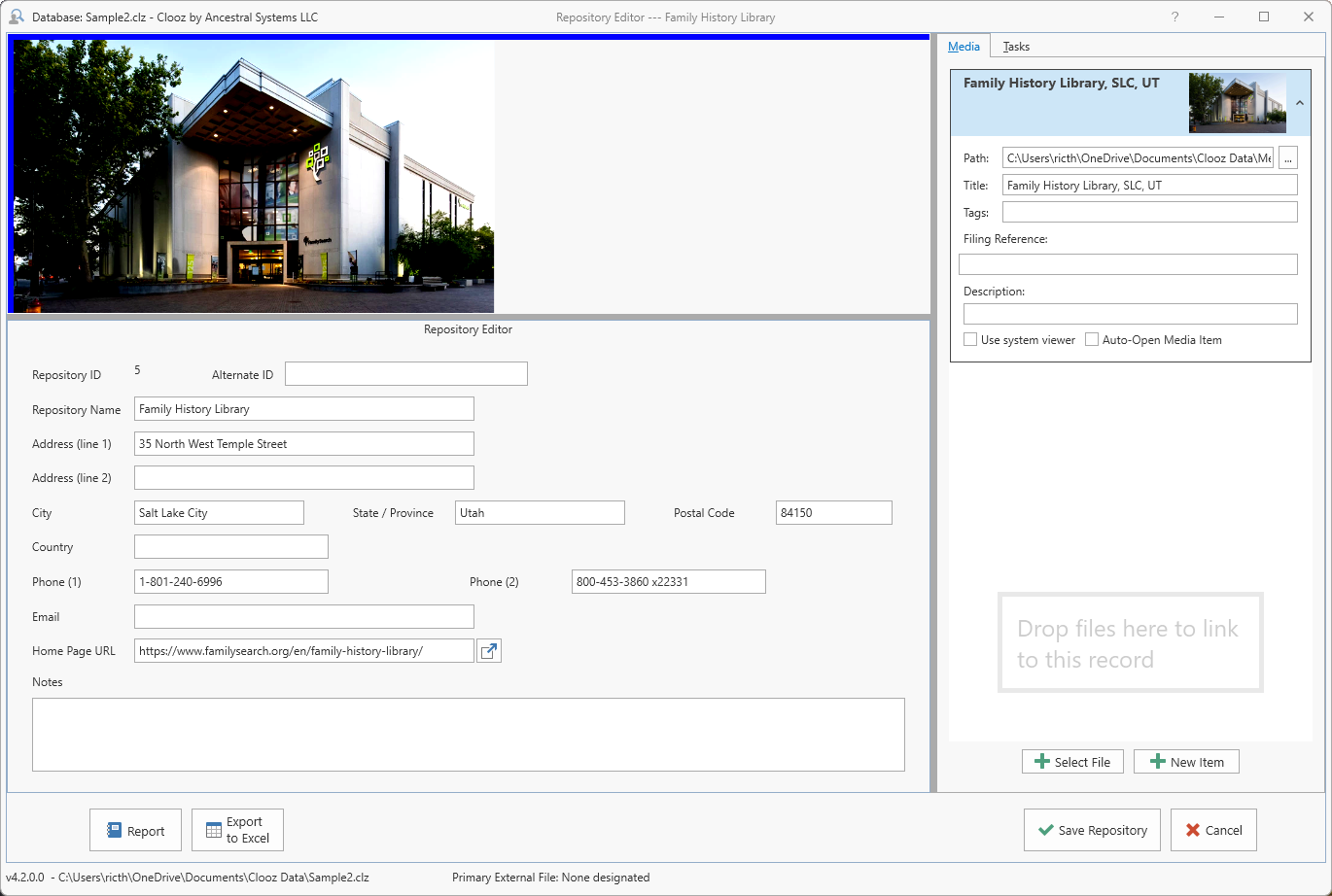
If a Home Page URL is entered, clicking the button to the right of that edit box will display the web page in your computer's default web browser.
The side-panel includes two tab pages, each similar to those already described for the Information Record Information Records in Clooz hold the content information coming from a document or other source. These differ from a Source record that contains most of the citation information describing the docment, or the Repository record referring to the facility or online service where the document was found. editor:
-
Media Tab - Digital media files linked to this Repository record. This will likely be less commonly used than with Information Records or Source records.
-
Tasks Tab - Research Objectives
What you are trying to accomplish while researching some specific issue, question, or hypothesis. having this repository as the default.